Qui êtes-vous ?
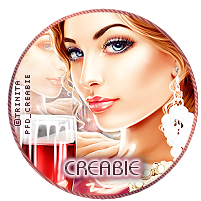
- Creabie
- Love make tag and some Psp stuff, learn PS. Feel free to send me your creations with my stuff and tuts.
Grab My Blinkie

For this tut, i used a fab tube of ZlataM
you must have a license to use this tube and you can purchase HERE
you must have a license to use this tube and you can purchase HERE
Vix Mask 195 HERE
FTU scrapkit by Kittz HERE
Uncial antiqua font HERE
Let's go!
Open 700x700 transparent image.
Selection, select all and paste paper1 in the
selection. Deselect and apply Vix mask 195, merge group.
Copy and paste element 23, resize 70% and move a little to the left.
Make a circle selection in the center of the frame, new raster layer, move it
under the frame and fill the selection with linear gradiant - white and colour of your tube
angle 0 - repeat 2.
Keep selected, paste your close-up, arrange and inverse, delete, deselect all.
Duplicate the close-up layer, on the original, change the blend mode
to luminance (L) and on the duplicate adjust blur - gaussian blur 3 and
blend mode soft light.
Copy, paste and resize elements 1, 2, 11, 21 or others of your choice.
See my tag for placement.
Drop shadow of your choice each elements.
Copy paste your tube and duplicate 2 times.
On the first duplicate - adjust -blur - gaussian blur 3 blend mode soft light.
On the top duplicate adjust blur as before and blend mode screen, turn the opacity
to 40%. Drop shadow the original tube.
With uncial antiqua font, ad your name
White foreground and gradiant for background.
Drop shadow your name, ad copyright and save as Png.


This tutorial was created by Creabie
Any resemblance with another tutorial or tag is purely coincidental
Inscription à :
Articles
(Atom)